Open the document, form, or website you wish to email into CaseWorks.
Click on the Print icon or select File -> Print from within the application.
Select Win2PDF as the Printer Name from the drop-down menu and click on the Print button.
The following Screen will display.
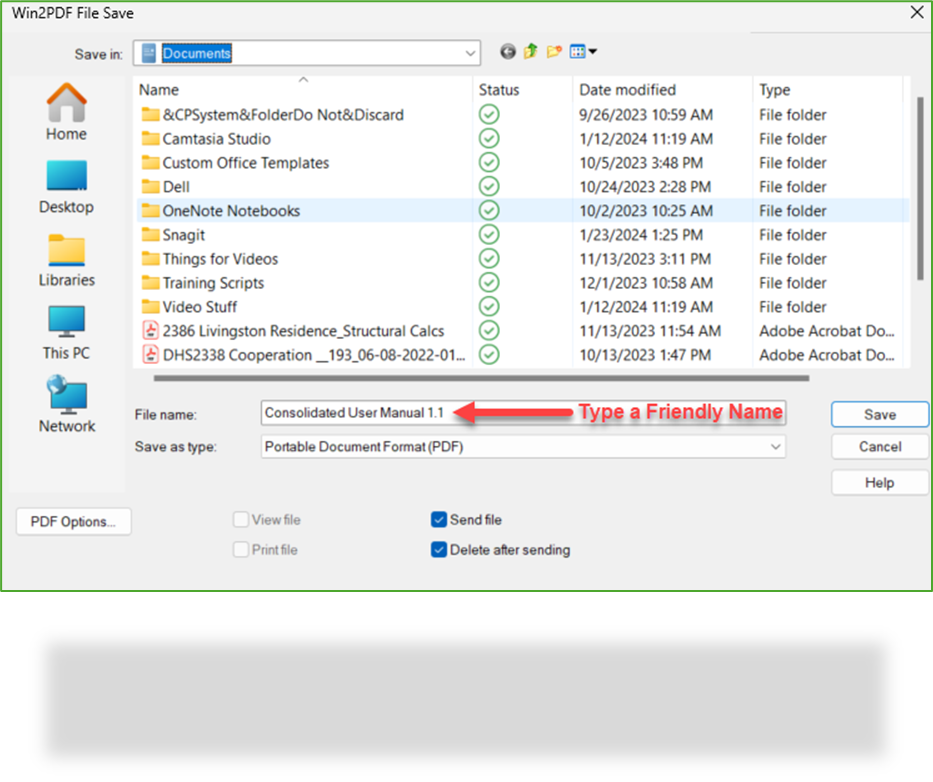
Give the “File name” a “friendly” name.
Select “PDF Image Only” from the “Save as type” drop down.
Check the “Send file” and “Delete after sending” box then click Save.
Your Outlook Compose New Email screen opens with the PDF attached.
In the “To” field, enter your county-specific email address. If you are unsure of what your county’s email address is, please ask your supervisor. Here is a sample email address: 11.fseyourcounty.docs@route.caseworkscmn.org
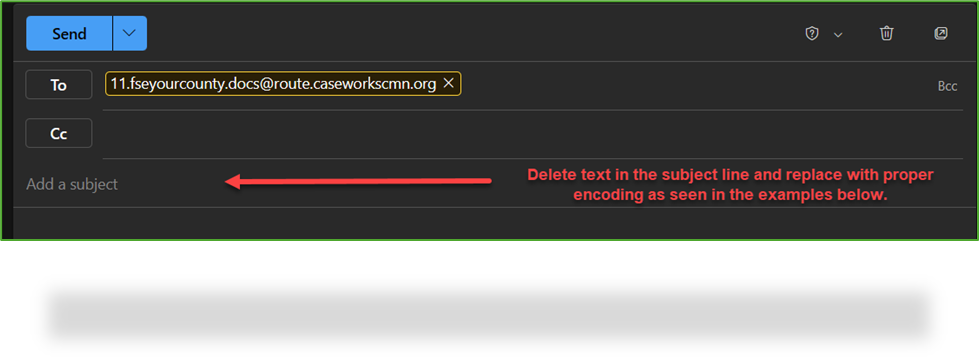
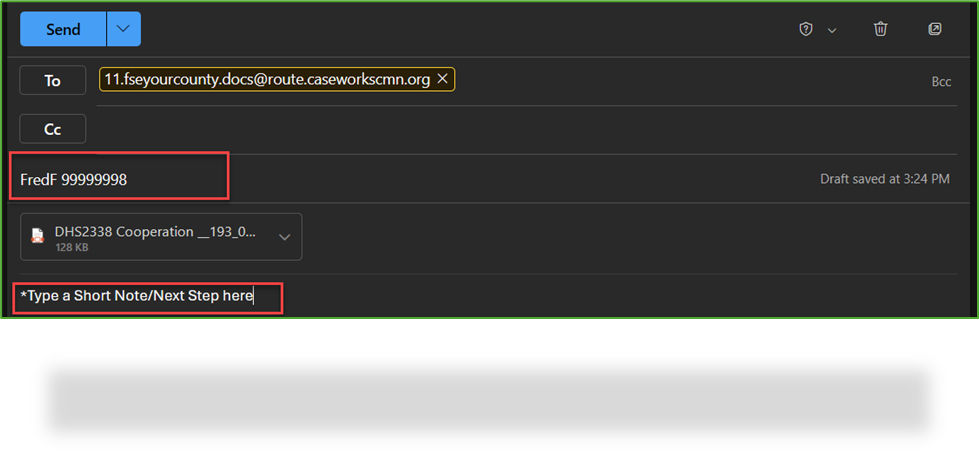
Complete the Subject line of the email with proper encoding as provided in examples below.
-
- Send to DocBox: To route document to a DocBox, type the DocBox Name [space] Case Number (MAXIS, Integrated Case, PRISM, Workgroup, WF1CaseID, or Vendor #) in the Subject Line and click Send.
-
Note: It is not required to provide a Case Number.
| Encoding Options |
Result |
|
JulieR
(DocBox Name)
|
Document will arrive in designated DocBox
(No other identifying information will display) |
99999997
(CASE Number Only) |
Document will arrive in case owner’s DocBox and will display Client’s Name & CASE# |
JulieR 99999997
(DocBox & CASE#) |
Documents will be routed to the DocBox indicated on the subject line and the Client’s Name and CASE# will display |
99999997 DHS5323
(CASE# & DocID) |
Document will arrive in case owner’s DocBox and Client Name, CASE#, Document Title & Taxonomy will display. |
99999997 DHS5323 F
(CASE#, DocID, F) |
Document will file directly to EFC provided it has a CASE#, DocID and Uppercase “F”. All three of those items need to be entered or document will not file down. |
|
JulieR 99999997 DHS5323
(DocBox, CASE#, DocID)
|
Documents will be routed to the DocBox indicated on the subject line and the Client’s Name, CASE#, Document Title, and Taxonomy will display. |
|
JulieR 00 DHS5323
(DocBox, 00, DocID)
|
Routes to designated DocBox and populates document title and taxonomy. (The double zeros are a placeholder for the unknown Case#)
|
| NOTE: You may choose to leave the subject line blank |
This encoding option is configurable per County need. Documents emailed without a subject line will default to the OSS DocBox, however, Counties can specify a different DocBox to default to if needed.
|
